
Execution modes
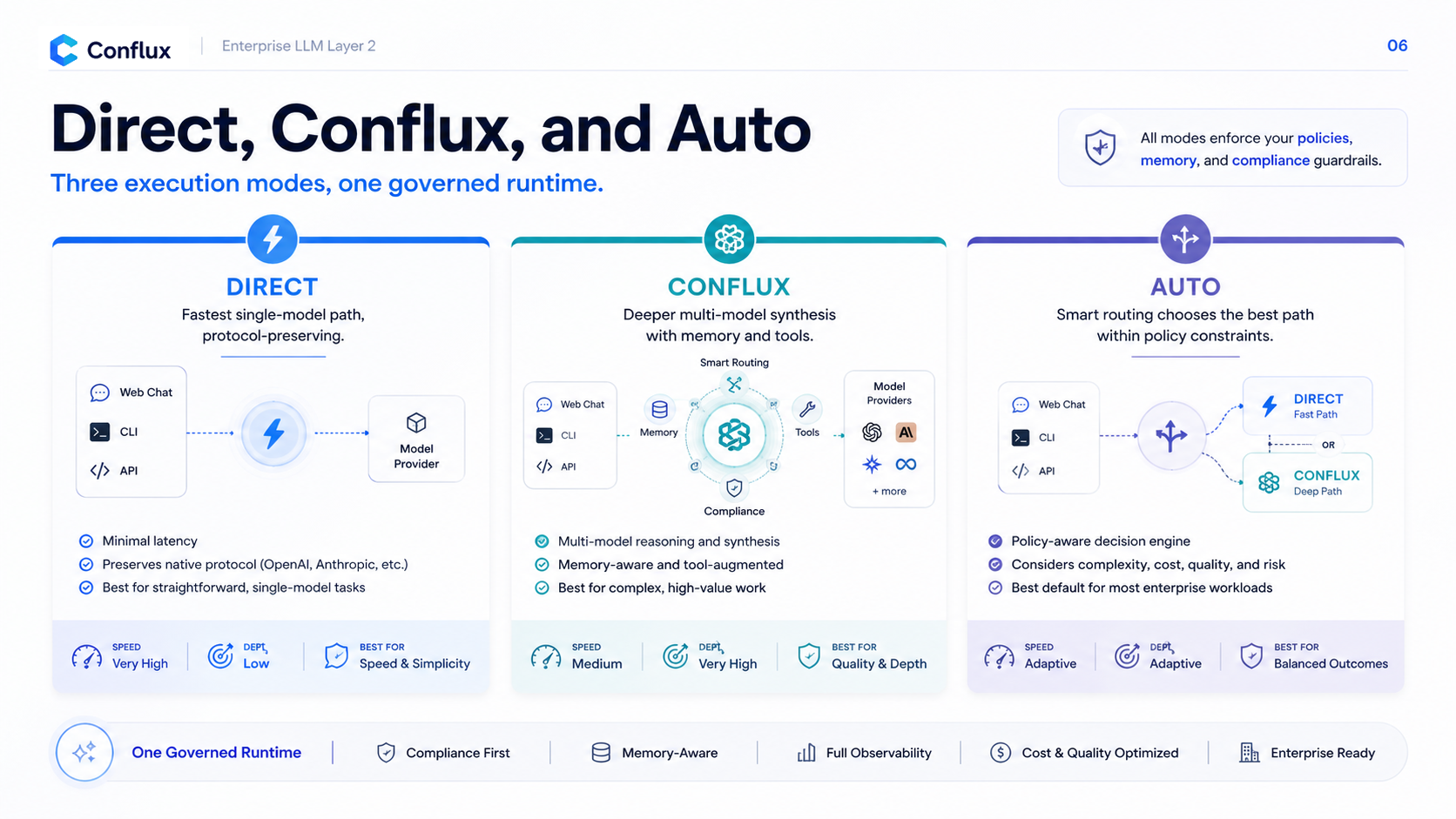
Direct, Flux, and Auto are different execution strategies, not just labels.
 Click to enlarge
Direct
Direct sends the request to one selected model. It is the fastest mode and works best for routine prompts, simple code edits, short explanations, and latency-sensitive CLI loops.
Flux
Flux runs multiple source models and synthesizes the result through the selected Flux model. It is slower but useful for ambiguous analysis, high-stakes reasoning, architecture choices, compliance-sensitive decisions, and prompts that benefit from contrasting model perspectives.
Auto
Auto evaluates the request and chooses Direct or Flux. It can consider explicit user hints, client type, prompt complexity, model availability, provider health, and workspace policy. Compliance still has priority over routing.